Ticket & work-order management
Create, assign and prioritize service tickets, track technician ownership, visit history, SLA status, notes and closure from one service desk.
A complete service and remote management platform for IT service providers and support teams, connecting tickets, assets, AMC contracts, licenses, customer portals, technician workflows and reporting.
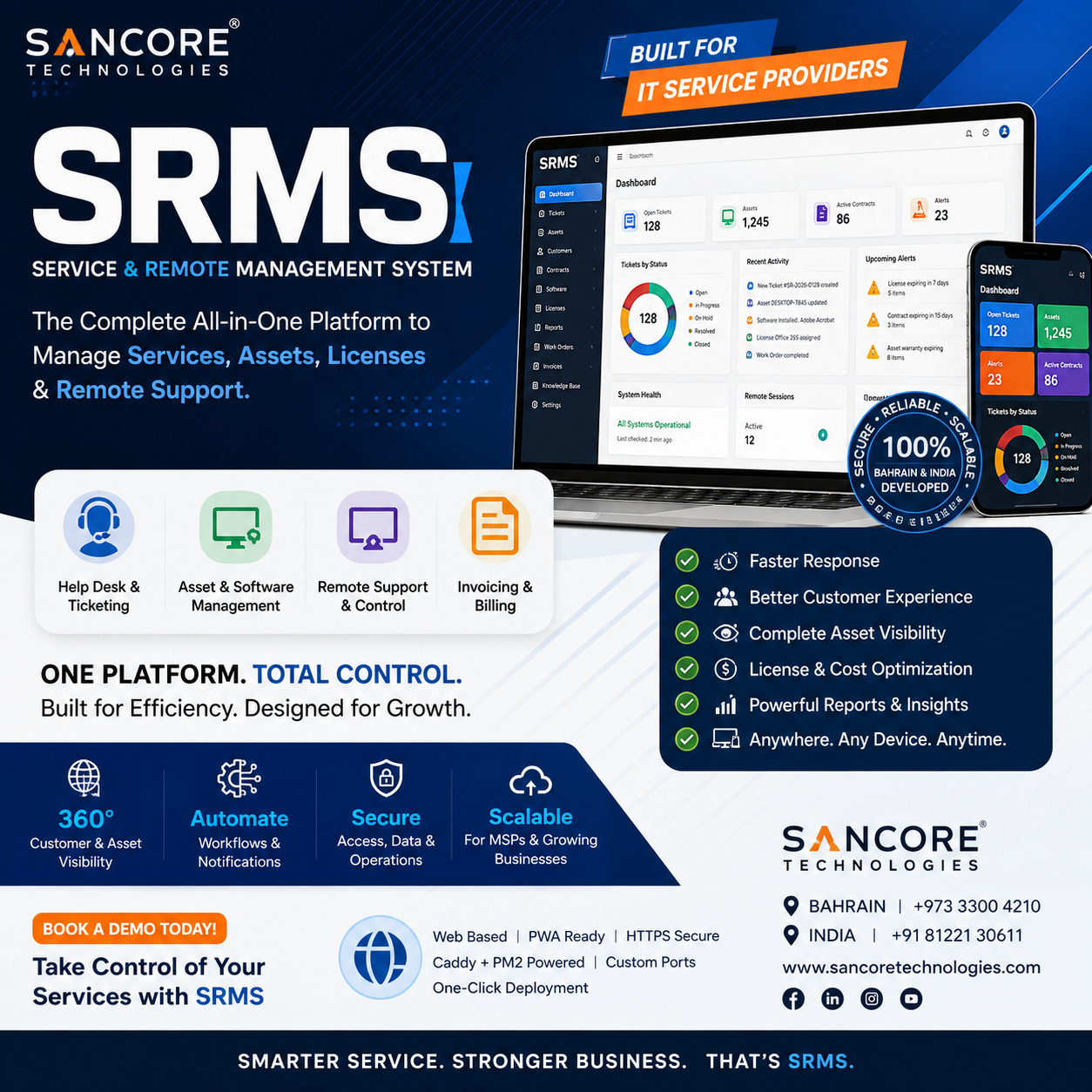
SRMS brings service operations into one controlled workspace so customers, technicians, contracts, assets and recurring obligations can be managed without disconnected spreadsheets or separate systems.
Create, assign and prioritize service tickets, track technician ownership, visit history, SLA status, notes and closure from one service desk.
Maintain customer hardware and software assets with serial numbers, specifications, warranty dates, locations, ownership and full service history.
Track contract coverage, start/end dates, included visits, service entitlements, renewal reminders and customer-specific AMC conditions.
Manage software licenses, subscription quantities, assignment, expiry dates, renewal alerts and customer licensing records.
Give customers secure access to raise tickets, view service updates, assets, AMC information, licenses, documents and support history.
Provide technicians with assigned jobs, mobile-friendly updates, check-in/out, notes, service reports, customer signatures and completion status.
Link managed assets to remote-support actions and future agent functions so technicians can move from alert or ticket to device support faster.
Monitor open tickets, SLA performance, technician workload, contract activity, customer trends and scheduled management reports.
SRMS brings service operations into one controlled workspace so customers, technicians, contracts, assets and recurring obligations can be managed without disconnected spreadsheets or separate systems.
Create, assign and prioritize service tickets, track technician ownership, visit history, SLA status, notes and closure from one service desk.
Maintain customer hardware and software assets with serial numbers, specifications, warranty dates, locations, ownership and full service history.
Track contract coverage, start/end dates, included visits, service entitlements, renewal reminders and customer-specific AMC conditions.
Manage software licenses, subscription quantities, assignment, expiry dates, renewal alerts and customer licensing records.
The platform connects each stage so information moves forward with the workflow instead of being re-entered in separate systems.
Create, assign and prioritize service tickets, track technician ownership, visit history, SLA status, notes and closure from one service desk.
→Maintain customer hardware and software assets with serial numbers, specifications, warranty dates, locations, ownership and full service history.
→Track contract coverage, start/end dates, included visits, service entitlements, renewal reminders and customer-specific AMC conditions.
→Manage software licenses, subscription quantities, assignment, expiry dates, renewal alerts and customer licensing records.
Explore the core areas that make up Sancore SRMS.
Tickets, assignments, priorities, SLA tracking and service history.
Hardware/software inventory, warranties, subscriptions and lifecycle records.
Contract coverage, renewals, visit history and customer entitlements.
Customer self-service, ticket requests, assets and contract visibility.
Assigned work, field updates, notes, reports and mobile-friendly workflows.
Operational dashboards, scheduled reports and management visibility.
Sancore works with your team to map the required process, configure the platform, validate workflows and support rollout. The final scope depends on your modules, users, integrations and deployment requirements.
Understand users, roles, process and required outputs.
Prepare modules, workflow, forms, reports and integrations.
Test the real workflow, train users and move into production.
Tell us what you need the system to handle and we’ll show you the relevant workflow and modules.
 Sancore AssistantServices • Software • IT Guidance